
Rooster Rivals Chicken Management: Controls, Buddy and Farm Fights
Use your chickens’ action menus to move and inspect birds, protect favorites from sale, and choose a traveling Buddy. When roosters fight, pick up either bird before the countdown ends, then keep them separated.
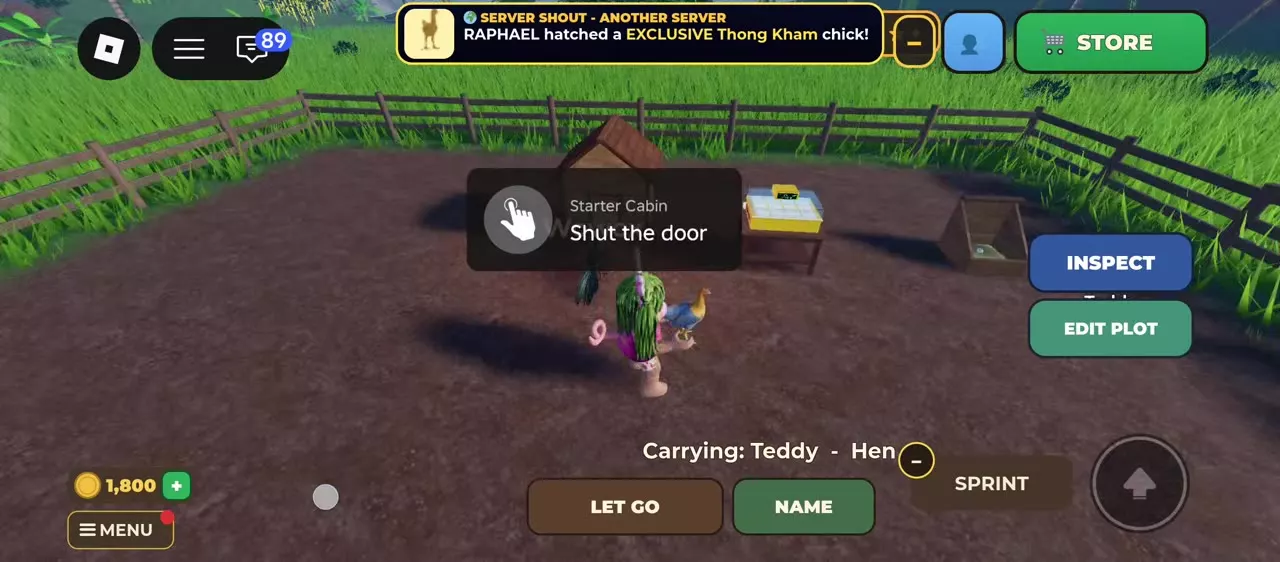
Open MY CHICKENS to highlight your birds, select one and walk close enough to use PICK UP. LET GO puts it down; INSPECT opens its details. Use the summary’s star to lock a favorite against sale and trading, or BUDDY to choose one follower. Stop farm fights by picking up either rooster before the countdown expires; house the two roosters separately afterward.
Find and inspect a chicken
- Open the menu and select MY CHICKENS to highlight your birds.
- Tap or click the chicken you want to manage. If PICK UP asks you to move nearer, walk closer.
- Select PICK UP. The carrying display identifies the bird by name and type.
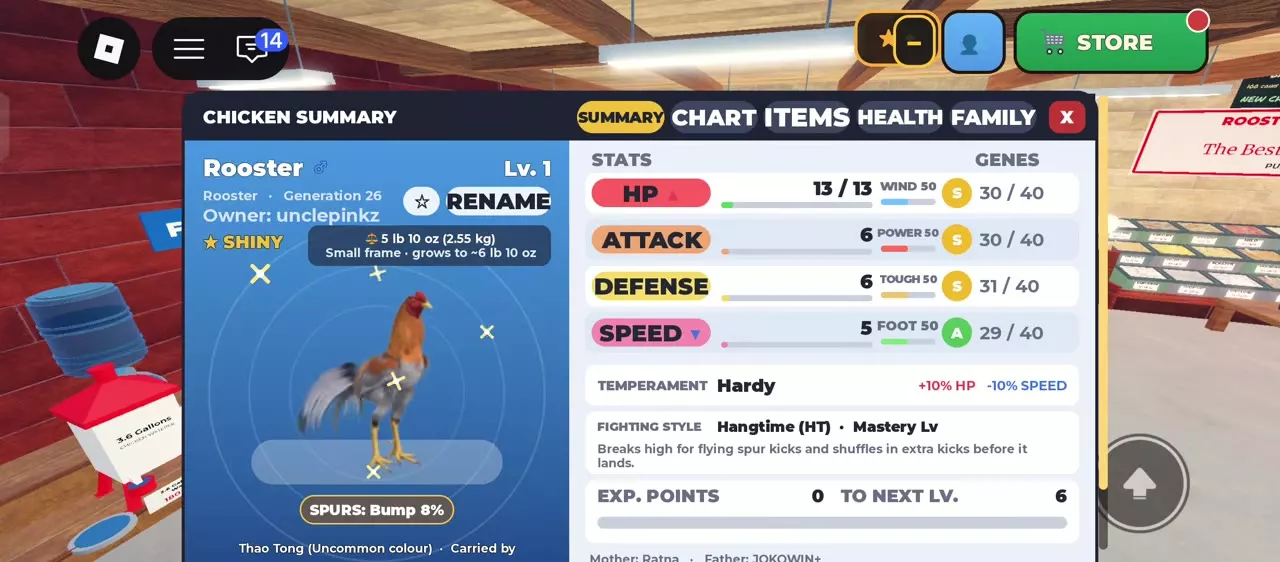
- Select LET GO to put it down, or INSPECT to open CHICKEN SUMMARY.
Sleeping chickens can still be selected and picked up. For a bird inside a cage, approach the cage and use its INSPECT or TAKE OUT controls.
On mobile, tap the chicken to reveal PICK UP and NAME beside the jump button.
Choose the right summary tab
| Tab | Use |
|---|---|
| SUMMARY | Stats and bird details |
| CHART | Stat chart |
| ITEMS | Equipment |
| HEALTH | Illness and injury |
| FAMILY | Parents and bloodline |
Use SUMMARY for a quick check of the selected bird. Switch to HEALTH when its condition needs attention, or FAMILY when checking its ancestry.
Names and favorite locks
Name or rename a bird
- Select your chicken and press NAME, or open CHICKEN SUMMARY and edit its name field.
- Enter the name and press SAVE. In the naming popup, CANCEL leaves the name unchanged.
The NAME YOUR ROOSTER popup allows up to 20 letters. If a saved name becomes hash marks, reopen the field, clear it and save a different name.
You can keep a starter’s default name and rename it later. Renaming does not change your permanent starter selection.
Lock a favorite
Open the chicken’s summary and select the star beside its name. The FAVORITE message confirms that the bird is locked: Vang will not buy it, and it cannot be traded to another player.
Select the star again to unlock it. A visible sale quote does not remove the lock; unlock the bird before selling it. Favorite the birds you intend to keep before sorting through surplus chickens.
Choose and manage a Buddy
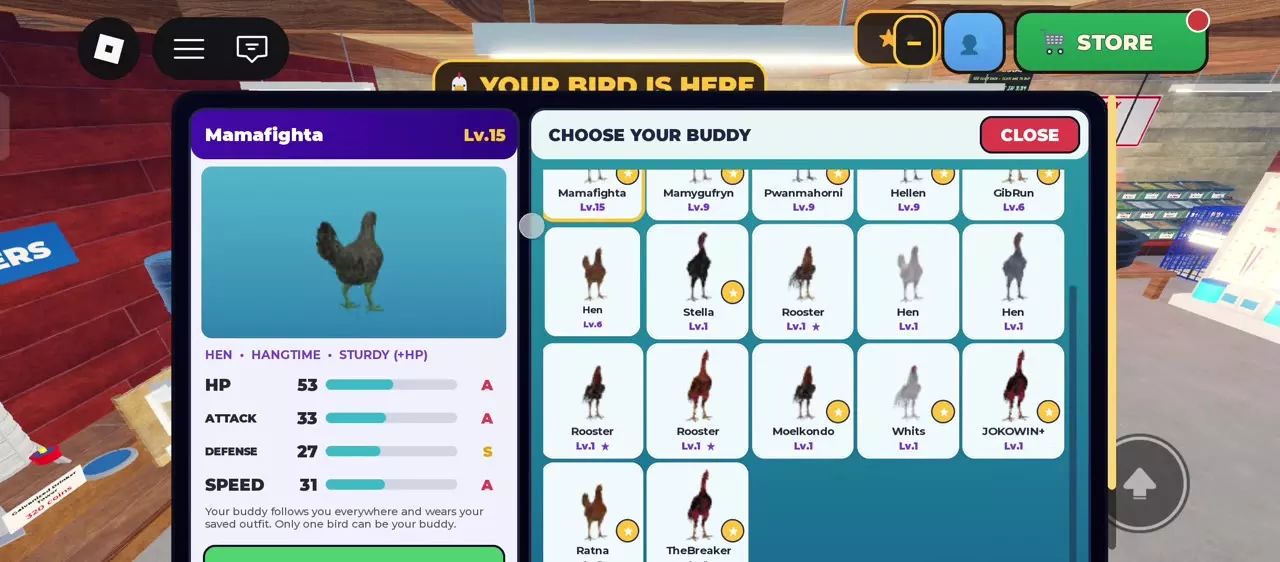
- Open BUDDY from the sidebar and wait for CHOOSE YOUR BUDDY to load.
- Select an available chicken. Compare its level, temperament, fighting style, HP, Attack, Defense and Speed.
- Press MAKE [NAME] MY BUDDY to activate it.
Only one Buddy can be active at a time. Your chosen bird follows you as you travel.
| Control | Result |
|---|---|
| CHANGE BUDDY | Reopen bird selection |
| PICK UP | Carry your Buddy |
| LET GO | Resume following |
| SEND HOME | Return Buddy to your farm |
Use BUDDY → CHANGE BUDDY to select a replacement, or BUDDY → SEND HOME when you want the follower back at your farm. While carrying it, you can also place it in a cage, ring or Breeding Coop.
Manage a busy Buddy
A Buddy occupied in a cage, ring, arena or display is marked busy, with a message that it will return when free. SEND HOME and CHANGE BUDDY remain available.
Use the facility’s own controls to manage its occupants. For a Buddy inside a Breeding Coop, use the coop’s TAKE OUT control to remove it rather than relying on SEND HOME to empty the coop.
For its saved appearance, see Buddy outfits.
Stop fights and use cages
Break up a farm fight
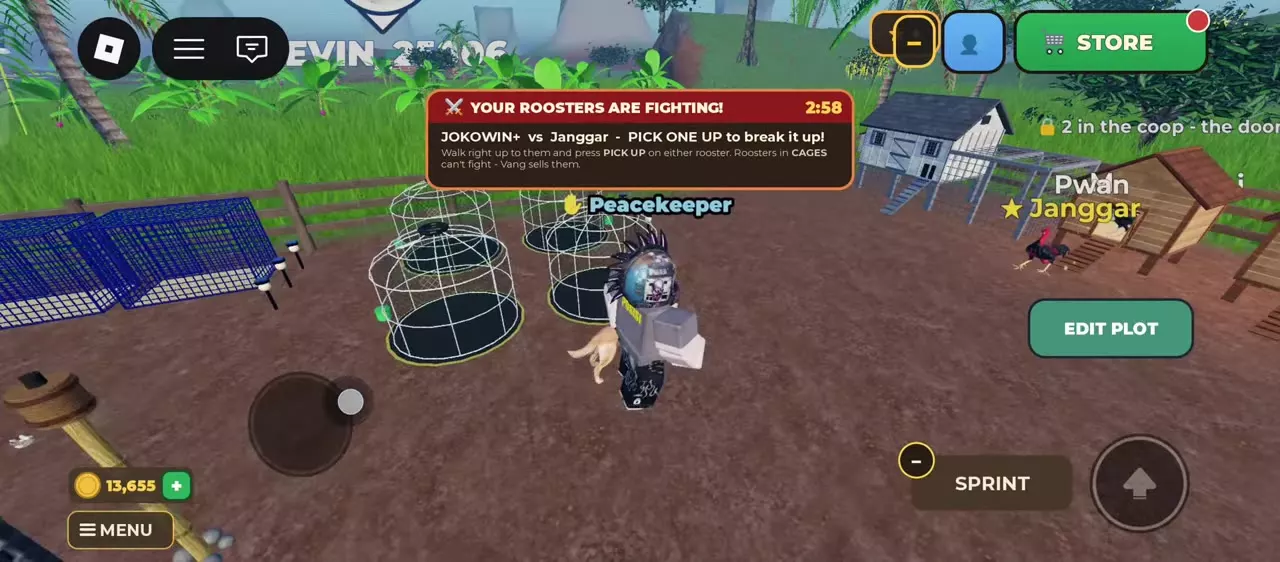
- Read YOUR ROOSTERS ARE FIGHTING! to identify the two birds. Use GO THERE to head to the fight.
- Walk up to either rooster and press PICK UP before the warning countdown ends.
- Keep the participants apart afterward so they cannot fight each other again.
Picking up either participant stops the current fight; pulling it out does not kill it. If the countdown expires, one rooster becomes injured and weaker for 20 minutes.
Separate cages or fenced pens give each rooster its own space. Training cages and Breeding Coops also provide separation options.
Put a chicken in a cage
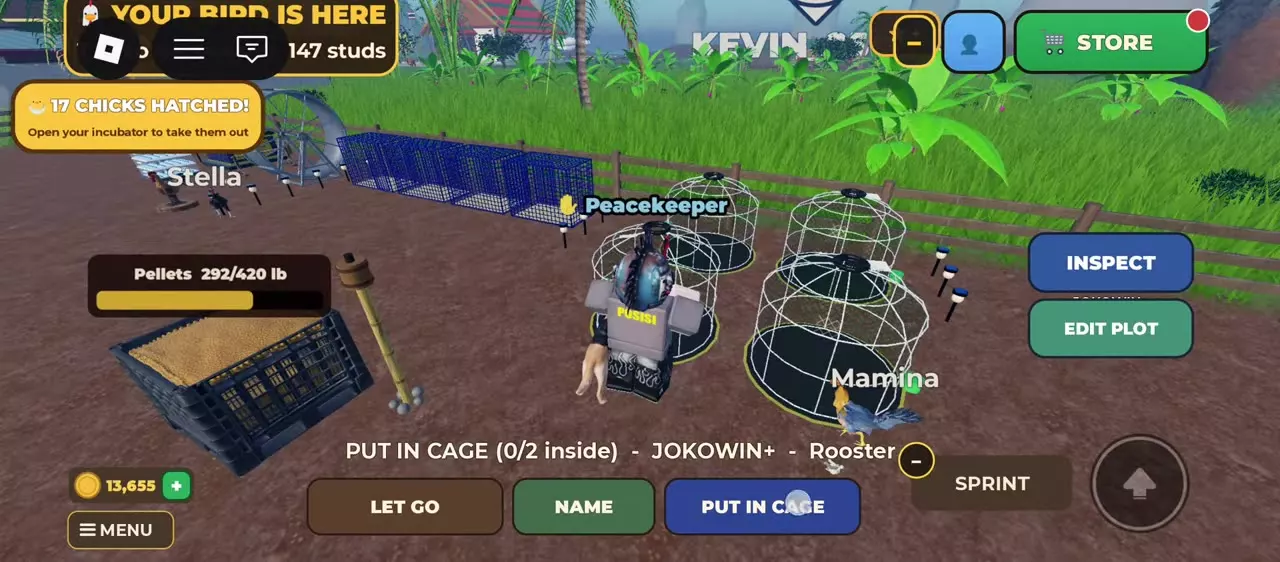
- Pick up the chicken and approach a cage with a free space.
- Check the occupancy counter. 0/2 inside means both spaces are free.
- Press PUT IN CAGE. After adding one bird to an empty two-bird cage, one space remains.
A Cage holds two chickens. One rooster and one hen can share it; two roosters in the same cage fight. Keep rival roosters in different cages rather than using both spaces for them.
Take a chicken out
Approach the cage and select TAKE OUT. If two birds are inside, choose which bird to remove. A full cage needs an occupant removed before another chicken can enter. Use INSPECT at the cage when you only need to check the bird’s details.
Retirement and further care
Retiring a bird requires three confirmation prompts. For a champion entering the Hall of Fame, retirement ends its fighting career while preserving breeding; see champion retirement and inheritance for the route and legacy effects.
- Use Chicken Health and Medicine to match an illness or injury to its treatment.
- Follow farm editing and separate pens to build lasting separation for your roosters.
- Use selling birds and eggs to Vang when you are ready to select and confirm a sale.