
How to Feed and Water Chickens in Rooster Rivals
Keep usable food in the feeder and water in the waterer to support your flock. Use scoops and the hose for manual refills, then select automatic equipment or place extra units inside separate pens.
Open a feed barrel, select TAKE A SCOOP, walk to the feeder and use Tip Scoop In. For water, use Grab Hose at Water Post and hold SPRAY or the mobile HOLD button until the waterer is full. To automate refilling, select Auto Hopper, Big Pan or Big Barrel feeding equipment and Auto Float watering equipment; EXTRA automatic units refill themselves too.
Check stored and usable supplies
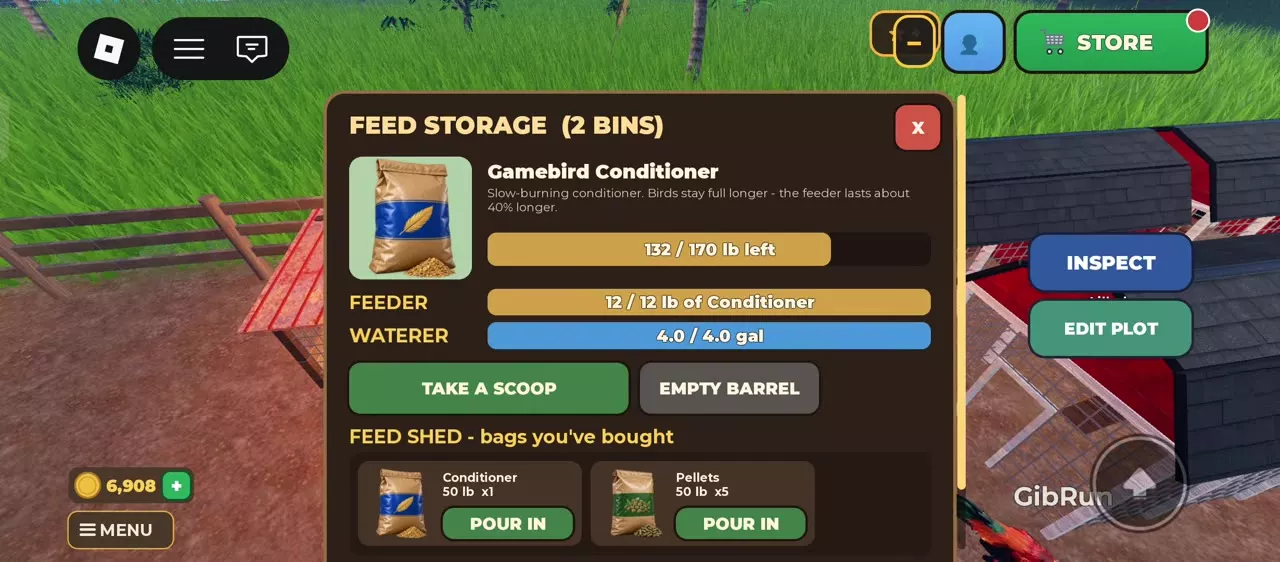
Approach a Wooden Feed Barrel or Blue Feed Drum and select Open. Feed Storage separates your reserves from the supplies available to chickens.
| Readout | What to check |
|---|---|
| Stored feed | Feed type and remaining lb |
| FEEDER | Current feed and capacity in lb |
| WATERER | Current water and capacity in gal |
| FEED SHED | Purchased spare bags |
Feed in the barrel still needs to reach the feeder. Check FEEDER separately before assuming your chickens have food.
Water-drop exclamation marks and EMPTY - WATER THEM! signal an empty water supply. While thirsty, chickens stop growing, laying eggs and leveling up. Roosters and hens also hit more weakly and are easier to knock down in battle. Refill the waterer to end the thirsty state.
Automatic supply behavior
Select an automatic main model with OWNED · USE THIS, or buy and place an EXTRA automatic unit for another pen.
- Auto Hopper Feeder uses a solar-timed galvanized hopper and refills automatically.
- Big Pan Feeder and Big Barrel Feeder are also automatic feeding models.
- Auto Float Waterer uses a float-valve trough to keep its water supply from running dry. You can still use the hose with the automatic waterer.
- EXTRA automatic feeders and waterers refill themselves too, including units purchased earlier.
For an additional pen, Extra Auto Hopper Feeder costs 2,500 coins and Extra Auto Float Waterer costs 2,000 coins. Choose these when you want automatic feeding and watering at that separate location.
If you also want a larger main feed reserve, Big Pan holds 30 lb for 19,500 coins. Big Barrel holds 50 lb, has four feeding ports, and costs 28,500 coins. Choose Big Pan for the lower upfront cost; choose Big Barrel when another 20 lb of capacity is worth 9,000 more coins.
After selecting equipment, open Feed Storage to check the displayed FEEDER and WATERER levels.
Fill the feeder
You need feed in storage and free space in the feeder.
- Use Open at a Wooden Feed Barrel or Blue Feed Drum.
- Check the stored feed. If you need to add a purchased spare bag, find it under FEED SHED and select POUR IN.
- Select TAKE A SCOOP.
- Walk to the feeder and use Tip Scoop In.
- Repeat while the feeder has room. Stop when the full message appears. Use PUT SCOOP BACK to return a held scoop.
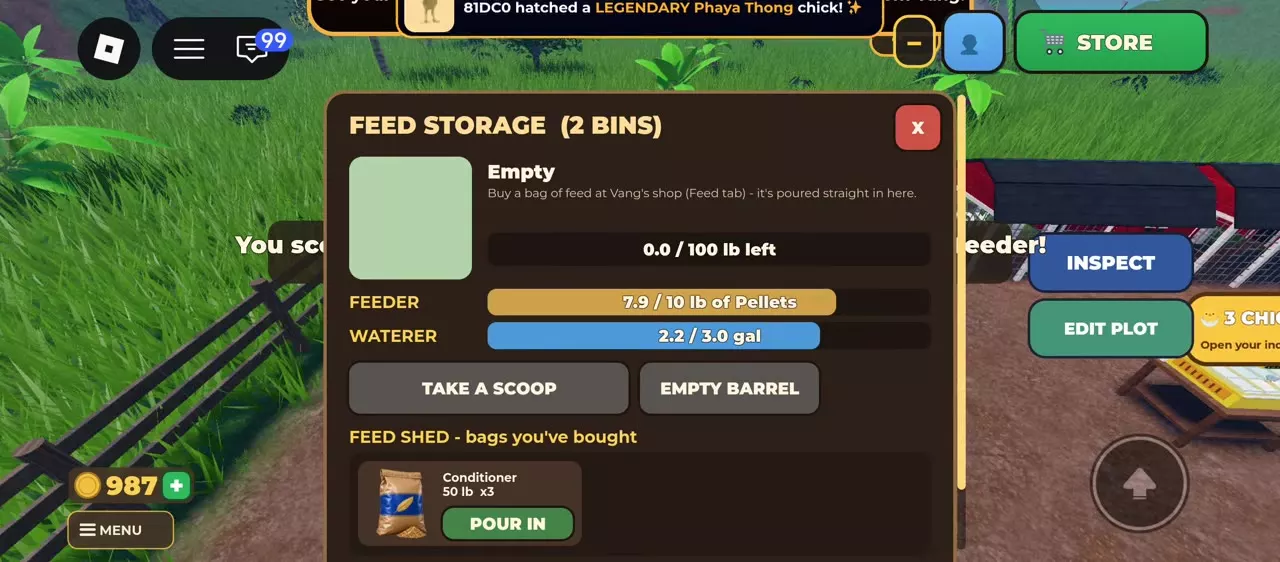
Pouring a bag into storage stocks the barrel; tipping a scoop into the feeder supplies the chickens. For example, transferring the last 2.4 lb of Gamebird Pellets from storage into a feeder at 5.5/10 lb raises it to 7.9/10 lb and empties the barrel.
Calculate remaining space from that feeder's own readout: capacity − current feed, in pounds. A feeder at 6.4/10 lb has 3.6 lb of room. Use the amount carried and the resulting feeder level to track each transfer.
Fill the waterer on desktop or mobile
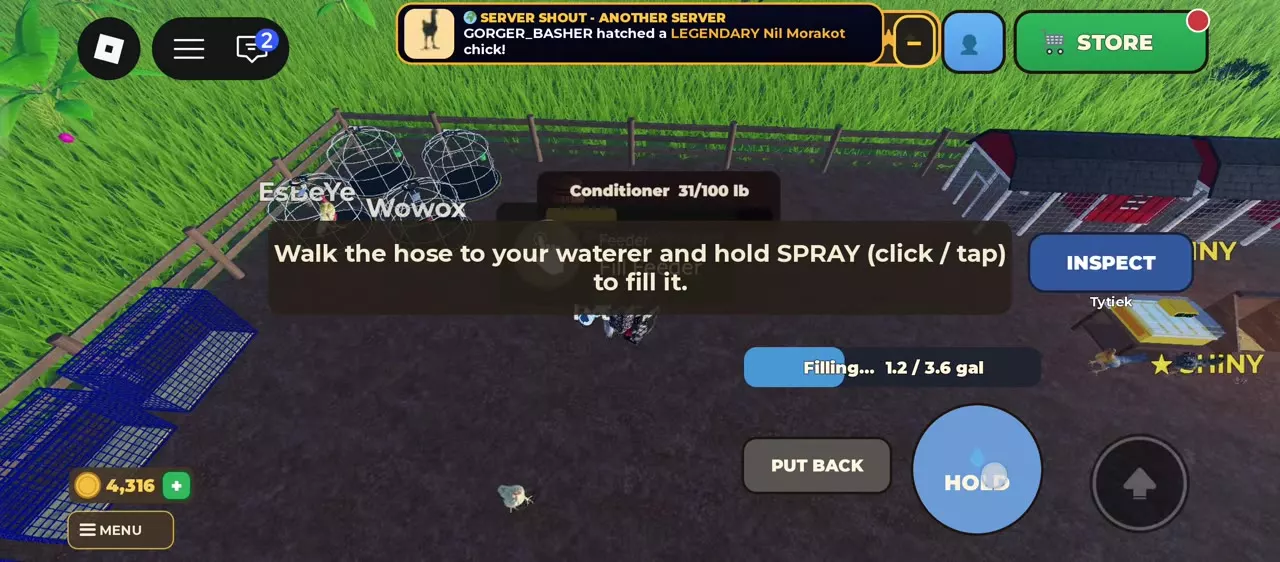
- Approach Water Post and select Grab Hose.
- Bring the hose to the waterer.
- On desktop, click and hold SPRAY. On mobile, press and hold the large HOLD button.
- Watch the filling bar and continue until The waterer is full! or Waterer FULL appears.
- Select PUT BACK to return the hose.
On mobile, no aiming is needed. The waterer glows while you hold the hose, and the water bar tracks the refill. Keep holding the control through the filling progress.
Use the current amount and capacity shown for your waterer, or read WATERER in Feed Storage. Subtract current water from capacity using gallons for both values: 10/12 gal needs 2 gal, while 2.9/3.6 gal needs 0.7 gal.
Switch main models and place extra units
Select the main feeder or waterer
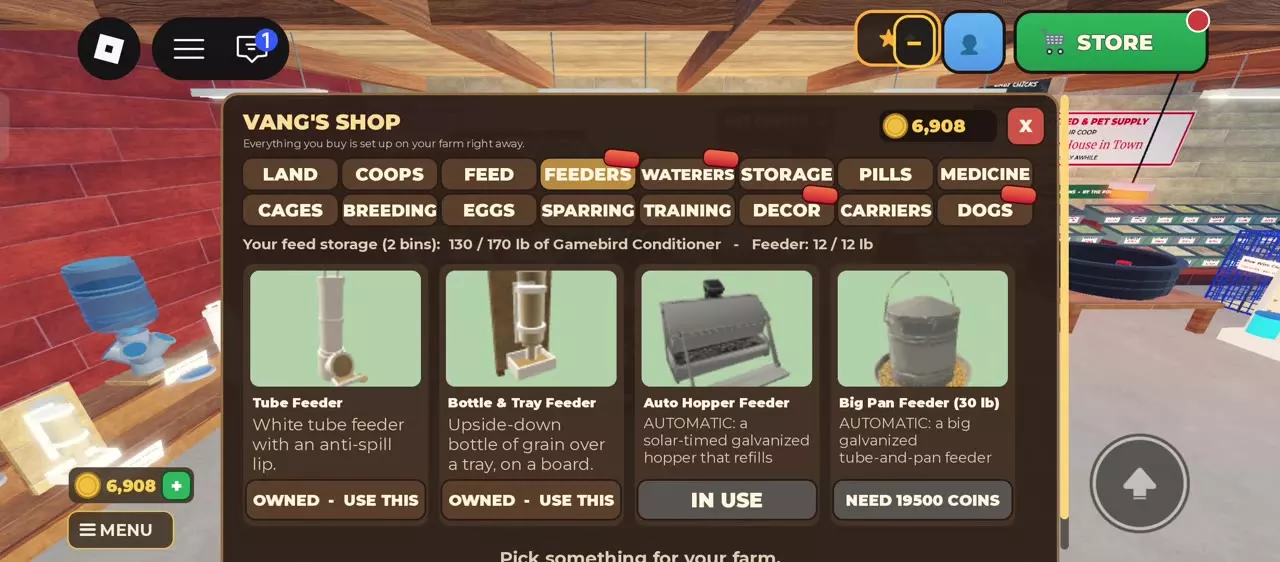
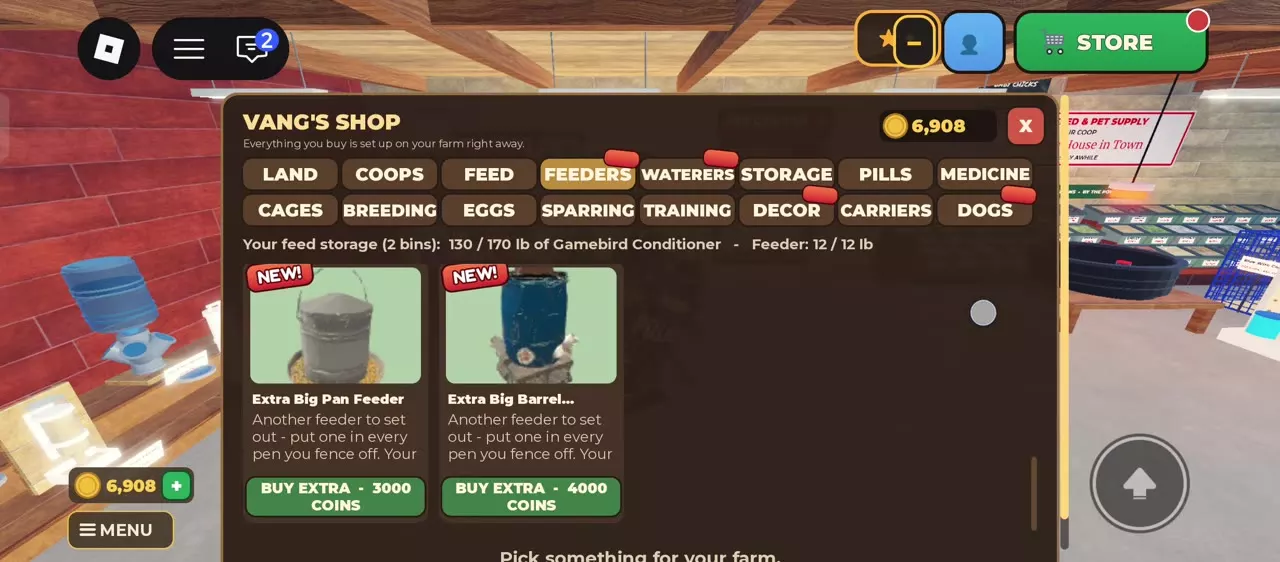
- Open Vang's Shop.
- Choose FEEDERS or WATERERS.
- Purchase the model you want at its displayed price, or select OWNED · USE THIS for a model you already own.
- Check for IN USE to identify the active main model.
The WATERERS menu changes your farm's one main waterer. To supply another fenced pen, purchase a separately placed EXTRA unit.
Add supplies to another pen
- In FEEDERS or WATERERS, scroll below the main models to the EXTRA items.
- Select BUY EXTRA on the equipment you want. Have enough coins for its displayed price and space for the device.
- Place the extra feeder or waterer inside the pen it will supply. Give each separate pen both a feeding point and a drinking point.
Adjust placement
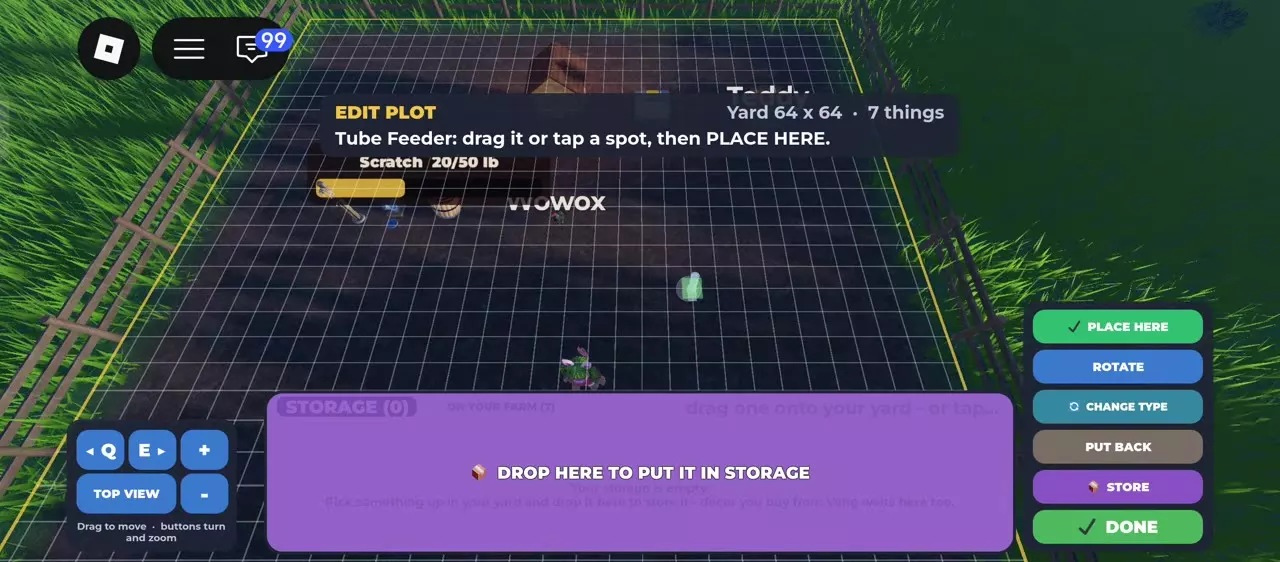
Enter EDIT PLOT and select the device. Drag its preview or tap the destination, then select PLACE HERE. Use ROTATE to change its orientation, STORE or the storage tray to put it away, and PUT BACK to return it. Select DONE to leave editing.
Tube Feeder and Jug & PVC Waterer also provide CHANGE TYPE in the editor. For fence layouts and the wider storage controls, use the farm building guide.
Feed types and equipment choices
- Choose feed for growth, longer-lasting supplies or battle XP in Chicken Feed and Storage.
- Compare main and EXTRA models, prices, capacities and automatic functions in Feeders and Waterers.
- If XP remains blocked, check both usable food and water: missing either prevents battle XP. Follow Level Up Chickens and Restore Missing XP for the remaining progression checks.