Rooster Rivals Combat Guide: Automatic Fights, Judges and Practice
Prepare your rooster before the fight, read the battle messages and understand what decides the result. Use the Practice Ring to compare two of your own roosters and retrieve them afterward.
Roosters fight automatically using their genes, level and fighting style. A knockdown starts a count; failing to get back up results in a K.O. Standard fights use a two-minute timer, with judges deciding unfinished fights through damage, hits and knockdowns. For practice, place two owned roosters in the Practice Ring, choose rounds and duration, press READY and use TAKE BACK afterward.
Automatic fights and preparation
Rooster Rivals battles run automatically. Your rooster's genes, level and fighting style affect its performance. Faster roosters land more critical hits, and large critical hits knock opponents back.
Before entering a match, replenish the farm's food and water. A farm that is out of either receives no battle XP.
During the fight, follow these parts of the interface:
- HP bars: track each bird's remaining health.
- Timer: watch how much time remains before a decision.
- Move names and damage: follow attacks and their immediate results.
- Status messages: identify weakened attacks, slowing, evasion and knockdowns.
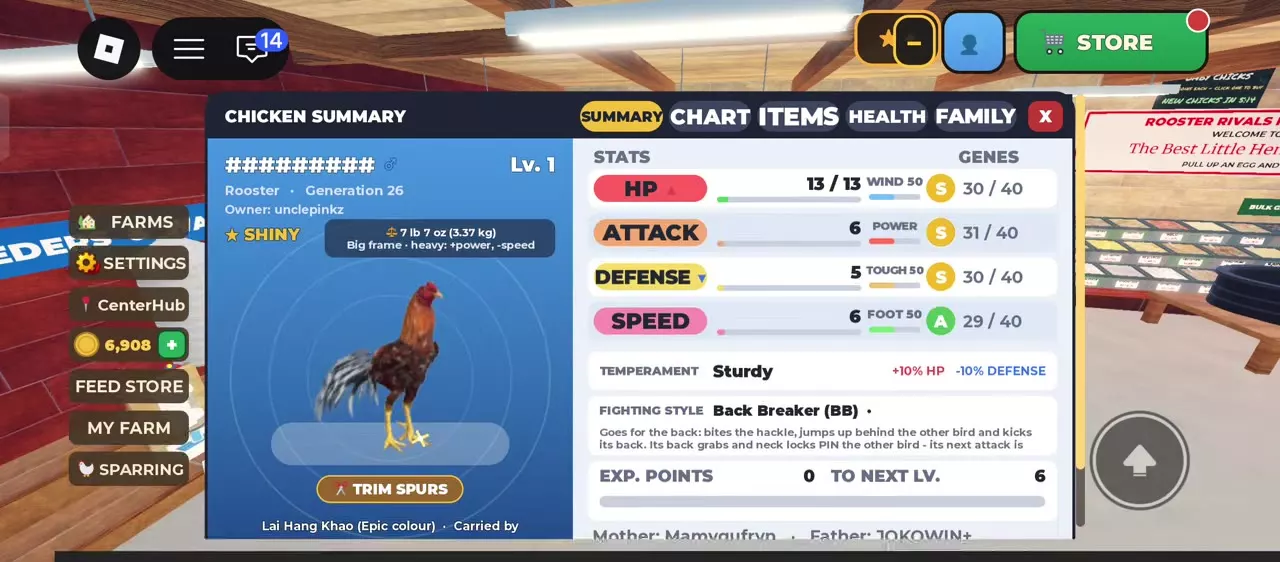
For a closer comparison before choosing a bird, read its stats and fighting weight.
Knockdowns, recovery and judges
Knockdowns and getting back up
DOWN or KNOCKDOWN starts a count rather than immediately ending the match. Wait for the recovery or K.O. announcement. BACK UP means the rooster has risen with some HP restored and the fight continues. A rooster that fails to rise before the count ends loses by K.O.
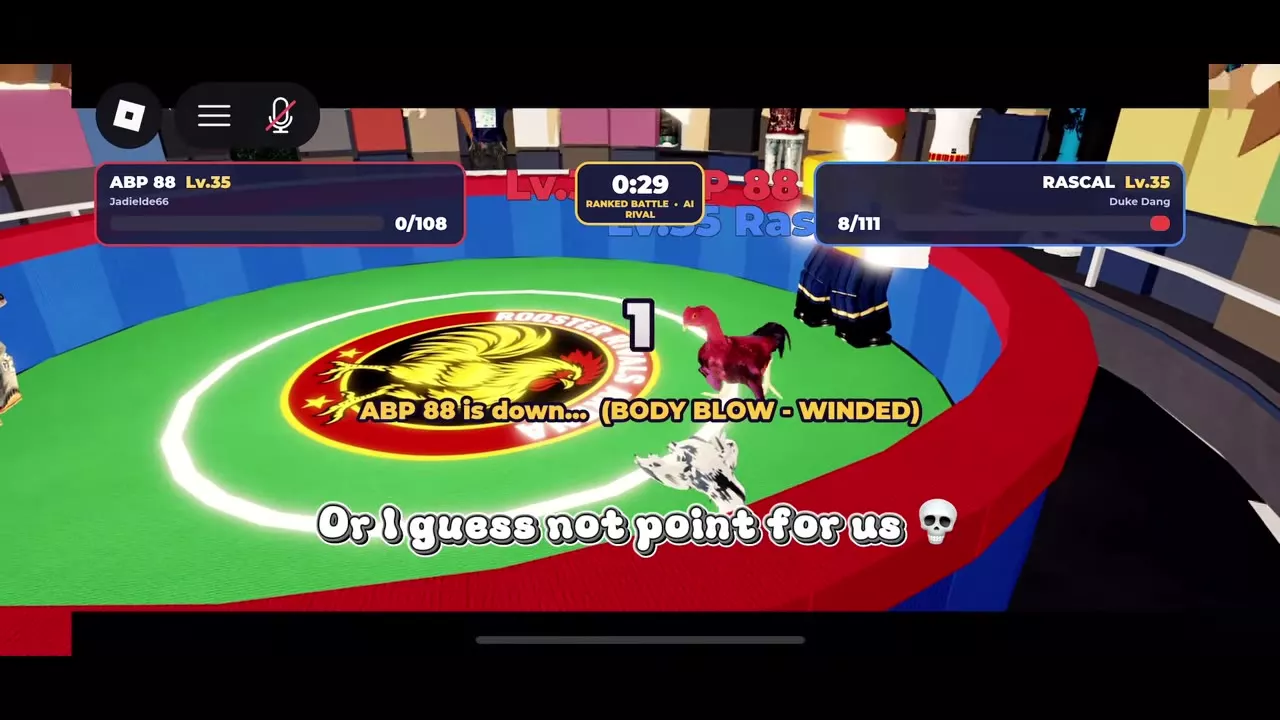
In the Level 35 match between ABP 88 and RASCAL, ABP 88 recovered from 0/108 to 21/108 HP after a body-blow knockdown. RASCAL later recovered from 0/111 to 34/111 HP. Both recoveries allowed the match to continue to the bell.
Time limits and decisions
Standard fights use a two-minute timer, introduced in Update 2.0. Practice Ring settings also offer three-minute rounds, while player-hosted events use the host's bell and round settings.
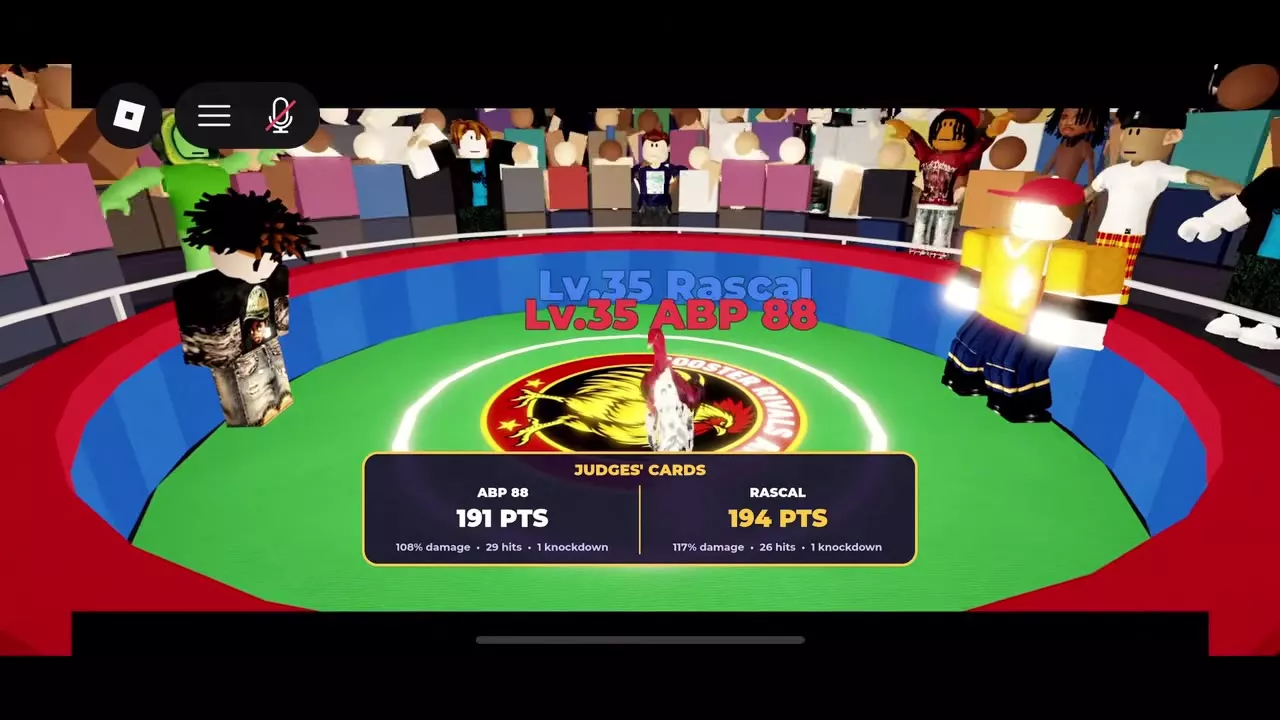
At TIME, read the Judges' Cards. Scoring uses:
- Damage dealt.
- Hits landed.
- Knockdowns scored.
If the cards are tied, the rooster with more health remaining wins. Getting back up just before the bell does not grant an automatic win; the judges still decide the fight. Practice fights that are too close to call end in a draw.
Why more hits do not always win
In this Level 35 AI Rival match, ABP 88 landed more hits but lost 191–194:
| Rooster | Points | Damage | Hits | Knockdowns |
|---|---|---|---|---|
| ABP 88 | 191 | 108% | 29 | 1 |
| RASCAL | 194 | 117% | 26 | 1 |
RASCAL's card had higher damage despite fewer landed hits, with one knockdown on each side. Read all three scoring measures instead of judging the result by hit count alone.
Battle status messages
| Message | Meaning |
|---|---|
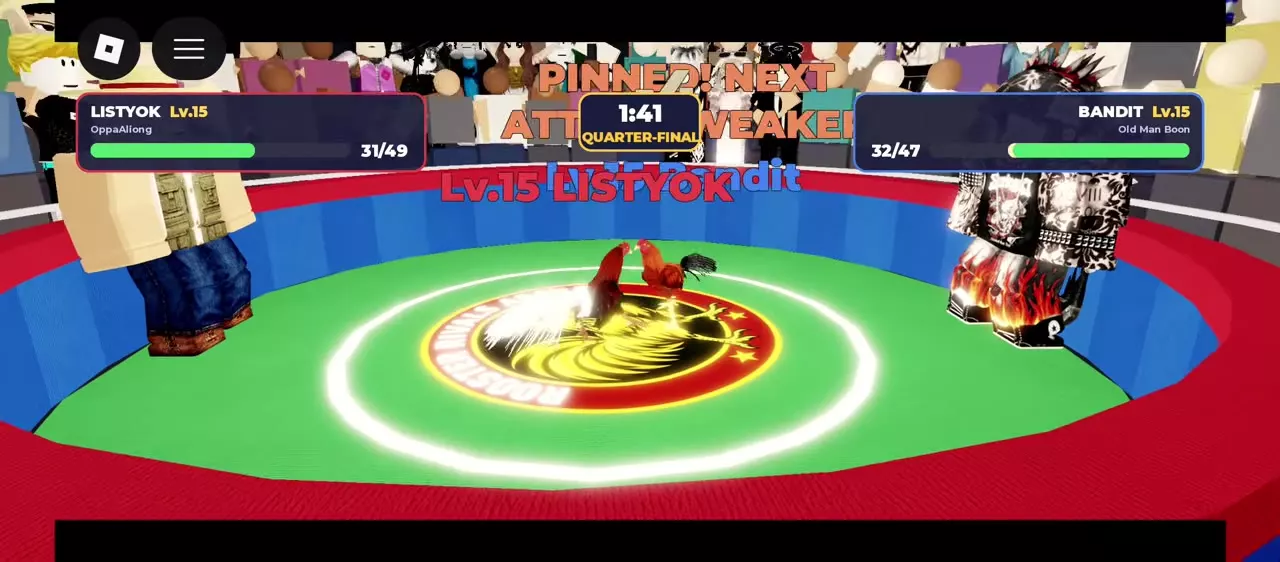
| PINNED | Next attack weaker |
| WINDED | Next hits weaker |
| LIMPING / SLOWED | Leg-attack effects |
| DUCKED | Attack evaded |
| BODY BLOW - WINDED | Body-blow knockdown |
| HEAD SHOT - DAZED | Head-shot knockdown |
PINNED! NEXT ATTACK WEAKER weakens the affected bird's next attack. WINDED! NEXT HITS WEAKER applies to its next hits.
Leg Assassin's landed leg attacks make the opponent limp and slow down. Its critical leg attacks sweep the opponent down and give Leg Assassin another action. LIMPING also displays a counter, such as x3.
The longer BODY BLOW - WINDED and HEAD SHOT - DAZED messages identify knockdown types. Read them alongside the count and recovery announcement: the knockdown label itself is not the final result.
Trim spurs
Spurs hit harder at fighting length. Overgrown spurs miss more and can break, so extra length comes with a combat cost.
- Open the rooster's INSPECT interface.
- Find TRIM SPURS in Chicken Summary.
- Use TRIM SPURS to trim the rooster's spurs.
Set up and finish a Practice Ring match
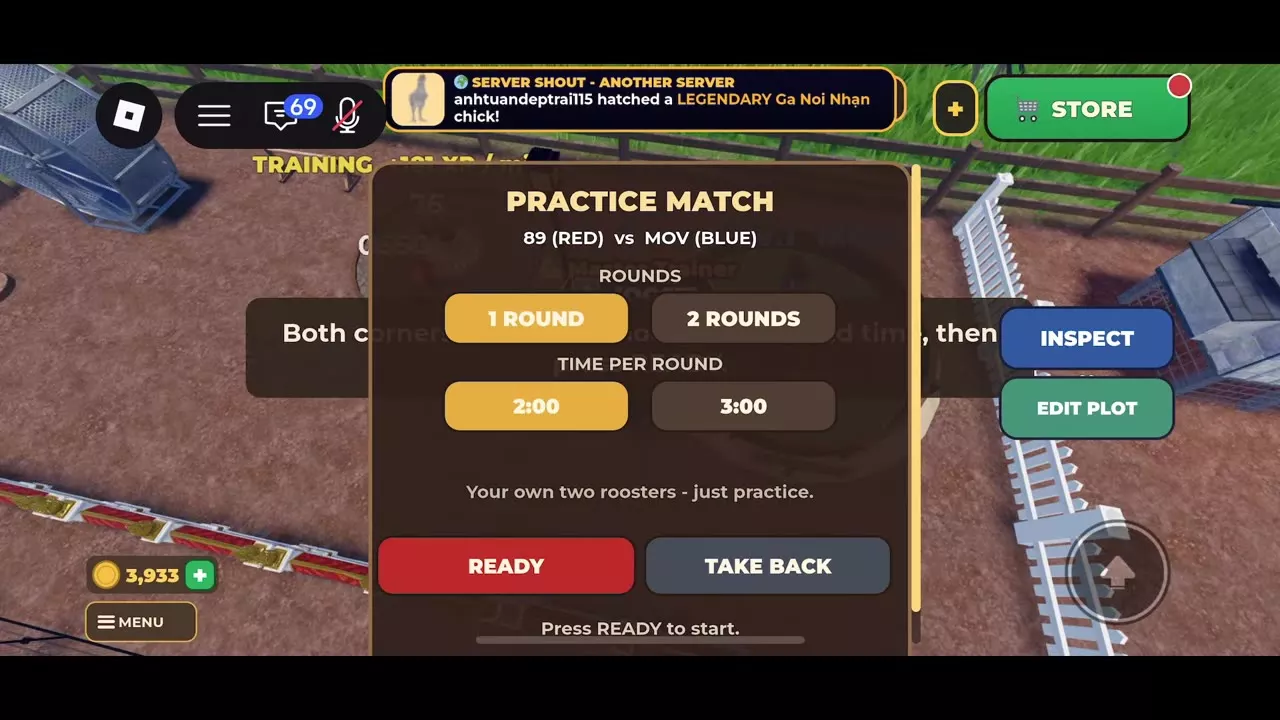
Use the Practice Ring to compare two roosters you own. Watch how their styles interact, which attacks land and how their HP changes.
- At the Practice Ring, use PUT IN RING to place both roosters.
- In PRACTICE MATCH, choose 1 ROUND or 2 ROUNDS.
- Set the time per round to 2:00 or 3:00.
- Read the matchup prediction and press READY. To return from setup, use TAKE BACK.
- Follow the automatic fight through both HP bars, style labels, status messages, round counter and timer. Use PULL OUT to withdraw during the match. Pulling a rooster out does not kill it.
- After the result, use TAKE BACK to retrieve the roosters. The empty ring returns to PUT IN RING.
Level 1 practice example: 89 versus MOV
For a two-round match with two minutes per round, 89 had UnderWing and 13 maximum HP; MOV had Leg Assassin and 10 maximum HP. The pre-match prediction favored 89 at approximately eight wins out of nine against MOV. That prediction describes this pairing.
MOV recovered from its first knockdown with 3/10 HP. In this match, 89 won after MOV's second knockdown. With FRESH double XP, the result awarded 228 XP to 89 and 84 XP to MOV.
1 objects
| Name | Round options |
|---|---|
1 or 2 rounds
| |
| |
Styles and competitive modes
- Choose a fighting role: compare evasion, attack weakening, leg pressure and critical-hit styles in Fighting Styles, Moves and Matchups.
- Choose an activity: use Battle Modes and Arena Challenges to find practice, ranked, cups and other event entrances.
- Fight for rating: read Ranked Arena, AI Rivals and Hen Seasons for matchmaking, AI Rival settlement and seasonal rewards.
- Enter an elimination tournament: follow Contender Cup entry and progression for registration, the bracket and post-match choices.